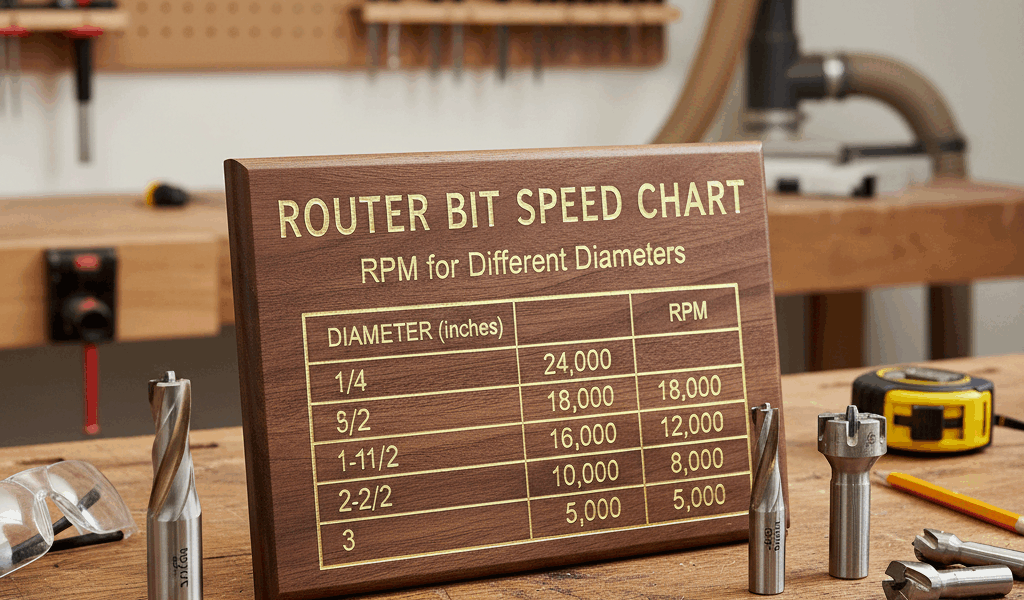
Router setup has gotten complicated with all the bit options and speed recommendations flying around. As a woodworker who uses a router table regularly, I’ve learned that matching RPM to bit diameter isn’t optional — it’s a fundamental safety and quality requirement that gets skipped more often than it should. Today, I’ll share everything I know about router speed settings.
Match your router’s RPM to bit diameter for clean cuts and safe operation. Larger bits require slower speeds to prevent vibration, burning, and potential breakage.

| Bit Diameter | Recommended RPM |
|---|---|
| Under 1″ | 22,000 – 24,000 |
| 1″ to 1.5″ | 20,000 – 22,000 |
| 1.5″ to 2″ | 18,000 – 20,000 |
| 2″ to 2.5″ | 14,000 – 18,000 |
| 2.5″ to 3″ | 12,000 – 16,000 |
| Over 3″ | 8,000 – 12,000 |
Need Variable Speed for Large Bits?
Fixed-speed routers run too fast for bits over 1.5″. A speed controller lets you dial in the right RPM.
Why Speed Matters
Physics is working against you when you run a large bit at full router speed. A 3-inch bit at 22,000 RPM has an edge speed exceeding 17,000 feet per minute — which is dangerously fast for the bit and dangerous for anyone standing near the router. Drop that same router to 10,000 RPM and the edge speed falls to around 7,800 fpm — a safe operating range. Running large bits too fast causes vibration, rough cuts, burning, and can shatter the bit entirely. That’s not a theoretical risk; it’s a real one.
I’m apparently a “check the speed before every bit change” person and dialing in the correct RPM always works better for me while leaving the router at full speed for all bits never does once you start using anything larger than a straight bit.
Quick Reference
- Small bits (under 1.5″): Run at full speed on any router
- Medium bits (1.5″ to 2″): Reduce to 18,000-20,000 RPM
- Large bits (over 2″): Variable speed required — start slow and increase gradually until the cut sounds right
- Panel-raising bits (3″+): Never exceed 12,000 RPM
What to Do with a Fixed-Speed Router
Most fixed-speed routers run at 22,000 RPM or higher — the right speed for small bits but too fast for anything over 1.5 inches in diameter. If you regularly use large profile bits, raised panel bits, or any bit over 2 inches, you have two practical options:
- Add a router speed controller between your router and the outlet. This works with brush-type motors and gives you a dial to reduce RPM as needed. At around $40, it’s the budget-friendly solution that works well for occasional large-bit use.
- Upgrade to a variable-speed router with built-in electronic speed control. This is the cleaner solution for anyone who uses large bits regularly — the speed adjustment is integrated into the tool rather than added externally.
Recommended Router Speed Controller
Rockler Router Speed Control
Controls speed from 0 to full RPM on routers up to 3 HP. Works with brush-type motors (not compatible with variable-speed or soft-start routers). Simple dial control lets you match speed to bit diameter instantly.
As an Amazon Associate, we earn from qualifying purchases.