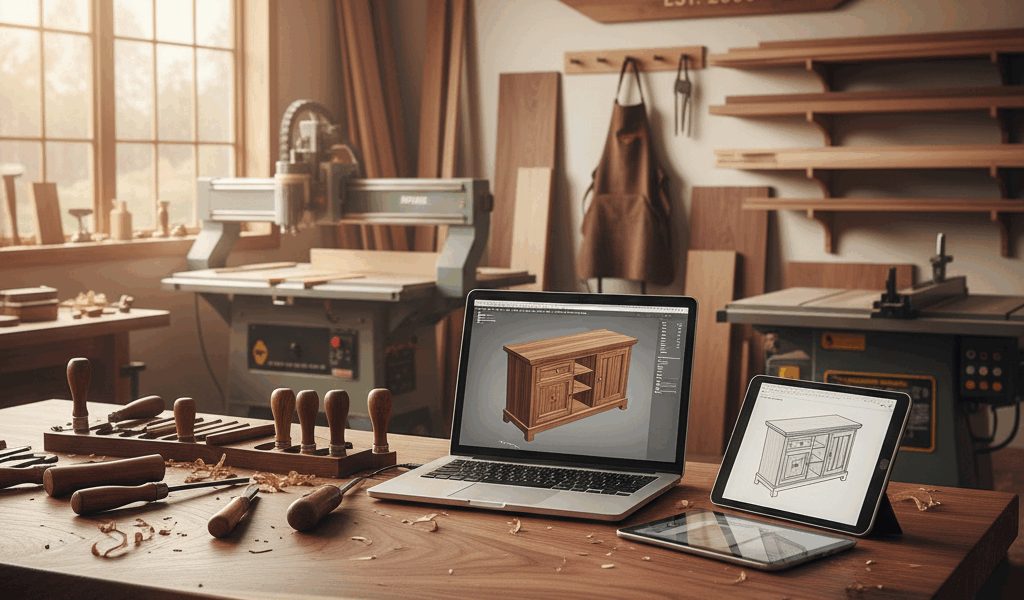
SketchUp is the easiest woodworking CAD program for visual furniture and shop-layout planning; FreeCAD is the strongest fully open-source parametric option; Autodesk Fusion is the most complete CAD-to-CAM choice for many CNC workflows; Onshape is best for browser-based parametric collaboration; and Vectric is the specialist choice when router toolpaths and sign or relief work matter more than general mechanical CAD.
There is no single best program for every woodworker. Cabinet construction, furniture design, client drawings, cut lists, and CNC machining require different tools. Choose the workflow first, then the software.
Method: This comparison is based on current vendor documentation, supported workflows, licensing conditions, file handling, and project fit. We did not conduct hands-on laboratory testing of every current release, controller, post processor, or extension.
Best woodworking CAD software at a glance
| Software | Best for | Main strength | Important limitation |
|---|---|---|---|
| SketchUp | Furniture concepts, built-ins, rooms, and shop layouts | Fast direct modeling and approachable visual workflow | SketchUp Free is non-commercial and the web edition is streamlined |
| FreeCAD | Parametric furniture parts and open-source workflows | Constraints, assemblies, drawings, and many exchange formats | More technical interface and workflow setup |
| Autodesk Fusion | Parametric design connected to CNC manufacturing | Integrated CAD and CAM in the paid product | Personal-use license is non-commercial and feature-limited |
| Onshape | Browser CAD, version control, and collaboration | Parametric modeling without desktop installation | Free-plan documents are public and non-commercial |
| Vectric VCarve/Aspire | CNC routers, signs, inlays, profiles, and relief work | Woodworking-oriented vector design and toolpaths | Not a general-purpose furniture assembly CAD replacement |
CAD, CAM, and machine control are different
CAD creates the geometry: parts, joints, assemblies, dimensions, and drawings. CAM converts geometry into machining operations such as pockets, profiles, drilling, and 3D toolpaths. A post processor translates those operations into code for a particular controller. Machine-control software sends or executes that code at the CNC.
A CAD program does not automatically support your router. Confirm that the CAM system provides a suitable post processor for the exact controller and that you understand tool diameter, feeds, speeds, workholding, zeroing, stock setup, and collision risk. Simulate and perform a controlled test before cutting valuable material.
1. SketchUp: best for fast visual woodworking design
SketchUp suits woodworkers who think by assembling boards, panels, components, and spaces in 3D. It is particularly effective for furniture proportions, built-ins, kitchens, room context, and shop layouts. Components can represent repeated parts, while scenes and section views help communicate construction or presentation views.
SketchUp for Web provides the core modeler in a browser. The company states that its free version requires no paid subscription, but its current license documentation also says SketchUp Free is not for commercial use. Paid offerings add capabilities, storage, support, and—depending on plan—desktop and documentation tools.
Choose SketchUp when: speed of visual modeling matters more than a strict feature-history tree; you design furniture or interiors; or you want a large ecosystem of models and extensions.
Check before committing: commercial-use rights, the specific import/export formats in your plan, whether you need LayOut for scaled documentation, and whether a third-party cut-list or CNC extension fits your workflow.
2. FreeCAD: best open-source parametric option
FreeCAD is a free, open-source parametric 3D modeler for real-world objects. Dimensions and constraints can drive parts, so changing a panel width or material thickness can update dependent geometry. FreeCAD 1.x includes assembly capabilities, technical drawing tools, and a CAM workbench.
Its official feature list includes STEP, IGES, STL, SVG, DXF, OBJ, IFC, and other formats, although support depth varies by format and workflow. This interoperability makes FreeCAD useful when you want ownership of local files or need to exchange solid models without a subscription.
Choose FreeCAD when: you want open-source software, parametric modeling, local control, or a customizable CAD/CAM environment.
Check before committing: the learning curve, assembly method, drawing standards, CAM post processor, and whether community add-ons are maintained for your FreeCAD release.
3. Autodesk Fusion: best integrated CAD/CAM workflow
Autodesk Fusion combines parametric and direct modeling with manufacturing tools, making it a practical choice for CNC-cut furniture parts, jigs, fixtures, templates, and joinery. A model change can flow into the manufacturing setup, but toolpaths still need regeneration and review.
Licensing matters. Autodesk describes Fusion for personal use as a limited version for qualifying home-based, non-commercial projects and individuals under its current revenue threshold. It limits CAM, drawings, import/export types, and other features compared with paid Fusion. Commercial shops should evaluate the paid license rather than treating the personal entitlement as free business software.
Choose Fusion when: parametric parts and CNC machining belong in one workflow; you need assemblies and manufacturing setup; or your shop can support the appropriate license.
Check before committing: commercial eligibility, current personal-use restrictions, active-document limits, required toolpaths, post-processor support, cloud/data requirements, and whether an extension is necessary.
4. Onshape: best browser-based collaboration
Onshape provides parametric CAD, assemblies, version control, and collaboration through a browser. It can suit distributed teams, client review, classroom learning, and woodworkers who move between computers without maintaining a desktop installation.
The free plan carries a major privacy condition: Onshape says it is for non-commercial work and all documents are public. Its terms explain that public documents can be viewed and copied by others. Do not place proprietary furniture designs, customer work, confidential dimensions, or commercial intellectual property in the free plan.
Choose Onshape when: browser access, version history, and real-time collaboration are central.
Check before committing: document privacy, commercial-use rights, internet dependency, export formats, and how CAM will be handled.
5. Vectric: best for woodworking-focused CNC routing
Vectric’s products focus on CNC routing workflows. VCarve is oriented toward vector drawing, profiles, pockets, drilling, inlays, lettering, and related toolpaths. Aspire adds more advanced 3D relief-modeling capabilities. That makes the family attractive for signs, decorative panels, cabinet components, and router projects.
Vectric can create designs, but its modeling model is not a substitute for a full parametric furniture assembly system when the project depends on interrelated 3D parts and engineering-style drawings.
Choose Vectric when: the CNC router and its toolpaths are the center of the workflow, particularly for 2D, 2.5D, and relief work.
Check before committing: which product tier contains the required toolpaths, supported post processor, job-size limits, upgrade terms, and whether separate CAD is needed.
Which program fits each woodworking project?
Furniture and built-ins
Start with SketchUp for rapid visual design. Choose FreeCAD, Fusion, or Onshape when dimensions and joinery relationships need a controlled parametric history. A cut-list extension or spreadsheet may still be required; confirm that grain direction, edge banding, hardware, and machining allowances are represented correctly.
Cabinets
General CAD can design cabinets, but production shops may need dedicated cabinet software for libraries, nesting, hardware, labels, and machine output. Test a complete cabinet—from design through cut list and CNC—before assuming a general CAD tool covers production.
CNC router work
Fusion or Vectric is usually the shortest route when CAM is essential. FreeCAD can also provide CAM capabilities. Verify the controller post processor and test the full chain. Our guide to building and planning a CNC router explains the machine side of the workflow.
Signs, carving, and reliefs
Vectric Aspire is purpose-built for relief work, while VCarve handles many 2D and 2.5D sign operations. For an introduction to the geometry and tooling, review our V-carving router-bit guide.
Shop layout
SketchUp is especially approachable for placing benches, machines, storage, doors, and clearance zones in a room model. Onshape, Fusion, and FreeCAD can also model a shop, but may be more structure than a simple space-planning project needs.
How to choose woodworking CAD software
- Define the output: visualization, shop drawing, cut list, DXF, solid model, or CNC code.
- Choose the modeling style: fast direct modeling or dimension-driven parametric history.
- Test one real project: model a cabinet, table, or routed sign from start through usable output.
- Check licensing: free does not necessarily allow commercial work or private files.
- Verify interoperability: test exact DWG, DXF, STEP, STL, SVG, or machine files with collaborators and equipment.
- Audit the CNC chain: CAM, post processor, controller, simulation, and safe test cut.
- Price the complete workflow: subscription, extensions, plugins, training, cloud storage, and upgrades.
Best free CAD software for woodworking
FreeCAD is the clearest unrestricted open-source starting point for parametric design and local files. SketchUp Free is easier for many beginners but is non-commercial. Fusion for personal use has useful CAD and limited CAM but strict eligibility and feature limits. Onshape Free offers capable browser CAD, but projects are public and non-commercial.
The best “free” choice therefore depends on what you are giving up: commercial rights, privacy, advanced manufacturing features, desktop operation, support, or ease of use.



Stay in the loop
Get the latest crafted wood creations updates delivered to your inbox.